GMX SMTP Settings
GMX's outgoing mail server, ports and encryption — plus why an older program can receive mail perfectly and fail to send a single message.
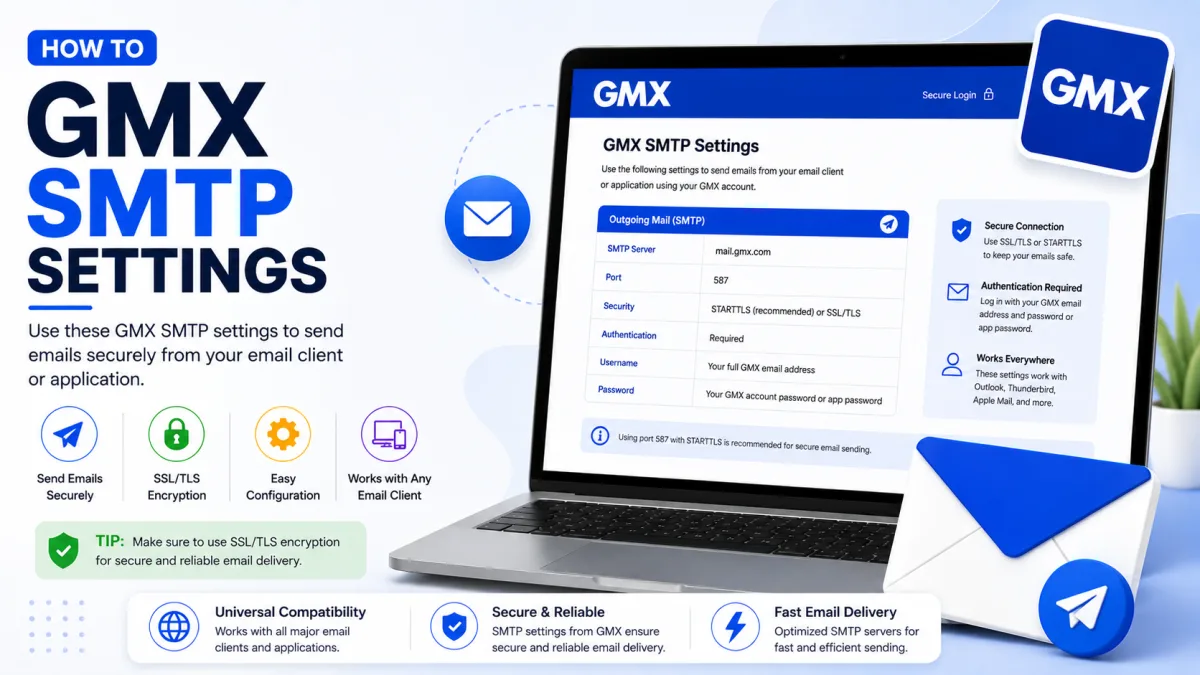
Server settings
GMX
- IMAP incoming SSL/TLS
- SMTP outgoing STARTTLS
- POP3 download SSL/TLS
imap.gmx.com
port 993
mail.gmx.com
port 587
pop.gmx.com
port 995
- Username
- Full GMX email address
- SMTP authentication
- Required
- Protocol access
- Enable POP3/IMAP in GMX settings first
- Authentication with 2FA
- Use an application-specific password
- Alternative SMTP
- Port 465 with SSL/TLS
- Supported TLS
- TLS 1.2 or 1.3
SMTP is what your mail program uses to send. It is configured separately from the incoming connection, which is why a GMX account can receive perfectly while nothing leaves the outbox — and on GMX there are two specific reasons for that which do not apply to other providers.
Enable external access first
Before any settings matter: GMX switches POP3 and IMAP off by default, and that switch governs sending as well as receiving. Enable it at Email → Settings → POP3 & IMAP, tick Enable access to this account via POP3 and IMAP, and save.
GMX also turns this off again automatically if the access goes unused for a long period. If sending worked for months and then stopped with nothing changed, check this switch before anything else.
GMX SMTP settings
Setting | Value |
|---|---|
Server |
|
Port | 587 (STARTTLS) or 465 (SSL) |
Authentication | Required |
Username | Your full email address |
German gmx.net accounts use mail.gmx.net instead. Same service, different server.
For incoming mail, see our IMAP settings guide, or the combined settings guide for everything at once.
If your program does not offer STARTTLS
GMX's own guidance: use TLS instead. If neither option exists in your program, simply activating its "Encryption" option is sufficient.
One hard requirement: your program must support TLS 1.2 or 1.3. GMX has dropped 1.0 and 1.1, and a program too old to speak the newer versions cannot send at all — reporting it, misleadingly, as a credentials failure.
Why an older program receives but cannot send
This is the distinctive GMX sending failure, and it catches people because receiving works flawlessly.
Some older mail programs use a method called SMTP-after-POP: they authenticate to collect mail, and then send without authenticating separately, on the assumption that the recent login is proof enough. It requires no password for sending, which is precisely the problem.
GMX no longer supports it. So a program relying on that method collects mail perfectly and fails on every outgoing message — which looks like a broken outgoing server rather than an outdated program.
The fix: make sure your program is set to authenticate on the outgoing server, using the same credentials as incoming. If your program has no such option at all, it is old enough that replacing it is the real answer — GMX itself suggests Thunderbird as a free, current alternative.
If two-factor authentication is on
Your normal GMX password will not work in an external mail program after two-factor authentication is enabled. Create an application-specific password and use it for SMTP authentication.
If mail arrives but will not send, check that outgoing-server authentication is enabled and that the application-specific password is saved in the SMTP settings. GMX does not document a requirement for separate IMAP and SMTP passwords. See our GMX Security guide for instructions on creating an application-specific password.
Reading a bounce message
If a message comes back with a mailer-daemon error, the code tells you more than the wording does:
400-range: temporary. In most cases the message will be delivered eventually. Usually nothing to do.
500-range: permanent. It will not be delivered under any circumstances until something changes.
For a 500-range bounce mentioning “mailbox unavailable” or “unknown user,” check the recipient’s email address for typing mistakes.
If the bounce says “Mailbox full” or “User has too many messages on server,” the recipient’s mailbox has run out of storage. Contact the recipient another way and ask them to clear space. Sending the message again will not work until space becomes available.
When GMX treats your own mail as spam
A more awkward bounce says the receiving system blocked your message because of the low reputation of the sending IP address. That means GMX's filters classified your outgoing mail as suspicious and sent it through servers reserved for suspected spam — which the recipient's system then rejected.
GMX names two common causes, and both are easy to trigger innocently:
Using a VPN that many spammers also use.
Link shorteners or tiny URLs in the message body.
If your mail is bouncing this way, try sending without the VPN and replace shortened links with full ones. Both cost nothing and frequently resolve it — and neither is something you would guess at without being told.
Sending limits
GMX uses automated anti-spam controls and does not publish one fixed sending threshold. Bulk or suspicious sending can cause messages to be rejected or the account to be blocked.
If GMX displays a warning or block, stop repeatedly retrying and sign in through GMX webmail to read the complete message and follow its instructions. Use a dedicated email-delivery service for newsletters, automated alerts or website-generated messages instead of a personal GMX mailbox.
When mail still will not send
Is external access enabled? And has GMX switched it off since you last used it?
Is outgoing authentication switched on? Mail arrives but never leaves without it.
App password, if 2FA is on? Use the application-specific password for SMTP authentication; GMX does not document a separate SMTP password.
Port and encryption matched? 587 with STARTTLS, 465 with SSL. Try the other port if one refuses.
Right hostname for your domain? gmx.com and gmx.net differ.
Try a mobile hotspot. A message that sends on mobile data but times out on your usual network means the network is blocking mail ports, not that your settings are wrong.
Does your program support TLS 1.2 or 1.3?
And GMX's own best advice when the error makes no sense: sign in on the website on a computer. Some errors — temporary blocks in particular — cannot be displayed properly by a mail program, and the real message appears there with instructions.
Checked against the source
Official sources
- GMX Help Center — Problems setting up GMX in my email program ↗
- GMX Help Center — Email returned as undeliverable ↗
- GMX Help Center — Activate or deactivate POP3 and IMAP ↗
- GMX Help Center — Setting Up Outlook (POP3) ↗
- GMX Help Center — Third party email applications ↗
- GMX Help Center — How do I set up application-specific passwords? ↗
- GMX Help Center — Email fields and recipient limits ↗
- GMX Help Center — Why is my account blocked? ↗
Enquiries
Frequently asked questions
What is GMX's SMTP server?
mail.gmx.com on port 587 with STARTTLS, or port 465 with SSL. Sign in with your full email address.
Why can I receive GMX mail but not send it?
Often an older program relying on SMTP-after-POP, which GMX no longer supports. Enable outgoing authentication, or use a current program.
Should I use port 587 or 465 for GMX?
Either. GMX documents 587 with STARTTLS and 465 with SSL. Try the other if one will not connect — some networks block one.
Why is my own GMX mail being rejected as spam?
GMX names VPN use and link shorteners as causes of outgoing mail being classified as spam and routed via servers recipients reject.
Next delivery
Keep reading
GMX Troubleshooting
GMX Not Working? Common Fixes
Why GMX stops receiving mail, refuses to send, or keeps misfiling the same sender — including the rule ordering that makes marking spam do nothing.
7 min read
GMX Security
GMX Security: 2FA and App Passwords
Turn on GMX two-factor authentication, create application-specific passwords for mail programs, and understand why one password may not be enough.
5 min read
GMX Password Reset
How to Reset Your GMX Password
Reset a forgotten GMX password — check your browser first, understand why the recovery options may not appear, and what two-factor authentication requires.
5 min read
GMX Sign Up
How to Create a GMX Account
Create a free GMX address step by step — and what to do about the country restriction, the IP block, and the VPN mistake that gets new accounts suspended.
5 min read
GMX Login
How to Log In to GMX
Sign in to GMX on any device, tell gmx.com and gmx.net apart, and work out what is wrong when a mail app fails but the website works.
6 min read
GMX IMAP
GMX IMAP Settings
GMX's incoming server, port and encryption — plus the switch you must enable first, and why GMX may turn it off again on its own.
6 min read