How to Reset Your GMX Password
Reset a forgotten GMX password — check your browser first, understand why the recovery options may not appear, and what two-factor authentication requires.
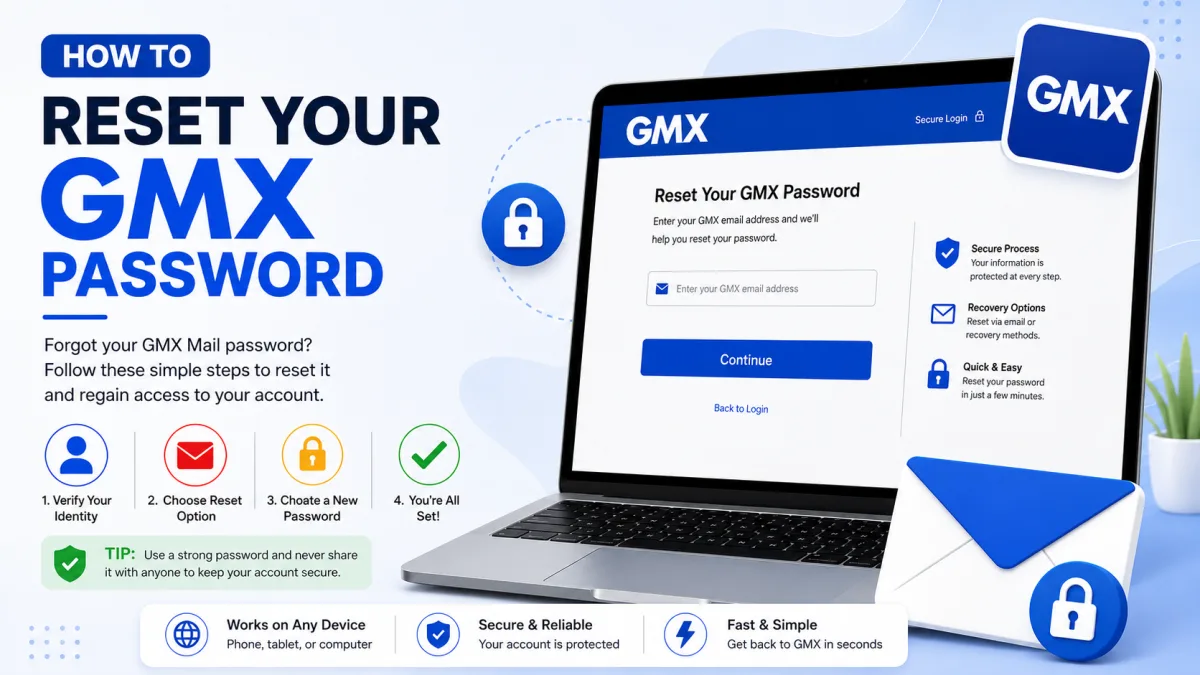
Before resetting anything, it is worth spending two minutes on something GMX itself recommends first — because a reset is not free. It ends every session, invalidates the password on every device, and if two-factor authentication is switched on, it needs something you may not have to hand.
First: your browser may already know it
If you have ever signed in to GMX on a computer, your browser has probably saved the password and can show it to you. GMX's own help pages make this the first suggestion, and it avoids a reset entirely.
Firefox: menu icon (top right) → Settings → Privacy & Security → scroll to Logins and Passwords. Search for GMX, then click the eye icon. You may be asked for your Windows credentials first.
Chrome: menu icon → Settings → Autofill and passwords → Password Manager. Search for GMX and click the eye icon.
Edge: menu icon → Settings → Profiles → Passwords. Search for GMX, then click the eye icon.
Safari on Mac: Safari menu → Settings (or Preferences) → Passwords tab. Enter your Mac account password, select the GMX entry, and hover over the hidden password to reveal it.
If you find it, you are done — no reset, no reconfiguring devices, no 2FA complication.
Resetting your password
If the browser has nothing, GMX's Password Recovery Assistant handles it. Most people can complete this without contacting support.
Go to password.gmx.com.
Enter your GMX email address.
Tick the reCAPTCHA box and click Continue.
Choose how to receive your reset code.
Enter the code and set a new password.
The two recovery options
Contact email address — click Send and GMX emails a reset code to the alternative address saved in your settings.
Mobile phone number — click Send and GMX texts a reset code to the number saved in your settings.
If you see no options at all
GMX only displays the email and SMS recovery options if you previously saved a contact email address or mobile phone number.
If neither option appears, select “None of the above” and follow GMX’s instructions for verifying that you own the account. Automatic password recovery is not available without saved contact information, so GMX may eventually direct you to customer support.
Recovery is not guaranteed. GMX must be able to verify that you are the account owner before access can be restored.
If two-factor authentication is switched on
Read this before you need it, because it catches people badly.
When 2FA is enabled, resetting your password requires the secret key generated when you set 2FA up — the one GMX offered you to print or download. Not a six-digit code from your authenticator app. The original key.
The process runs like this: start the normal recovery at password.gmx.com, and during it you will be asked for that secret key. Entering it deactivates two-factor authentication, which then allows you to save a new password. Once you are back in, you can turn 2FA on again.
If you cannot find the key
GMX's suggestions, in order:
Check your computer's Downloads folder — the document is often still sitting there from setup.
Search the whole computer using Windows File Explorer or Mac Finder, in case it was saved elsewhere.
Check anywhere you keep printed documents, if you printed it.
If the key is genuinely gone and no recovery contact is saved either, GMX documents no self-service route out. Contacting GMX support directly is the only remaining option, and there is no guarantee of a result — two-factor authentication exists precisely so that possession of the password is not enough, and that protection cannot be waived selectively for the account owner without weakening it for everyone.
Which is the whole argument for storing that key somewhere separate, today, if 2FA is on and you have not.
After you reset
Every device will need the new password
A reset ends your sessions everywhere. GMX apps, mobile webmail and MailCheck all sign out, and each needs signing in again. GMX notes it can take up to 35 minutes for all mobile access to fully reset — so if a device still appears signed in shortly afterwards, that is expected rather than a failure.
Mail programs need updating too
Outlook, Thunderbird or your phone's built-in mail app will keep failing with the old password until you update it. If a program had been working and stops immediately after a reset, that is why.
Set up recovery properly, now
This is the moment to do it, while you have access:
Add a contact email address on an account you will keep for years.
Add a mobile number you actually use.
If 2FA is on, store the secret key somewhere separate — not only on the phone that runs the authenticator, which is the single most common way people lock themselves out permanently.
GMX's own advice is the same: adding a mobile number and contact email in advance is what makes self-service reset possible at all. Five minutes now is worth considerably more than any amount of effort later.
A note on support scams
People locked out of email are a favourite target. If you find a "GMX support" phone number on a search result, a forum post or a blog, treat it as a scam — and whatever the source, never read a verification or reset code aloud to anyone. That code is the account.
Checked against the source
Official sources
- GMX Help Center — I forgot my GMX password. What should I do? ↗
- GMX Help Center — Resetting Your Password ↗
- GMX Help Center — Display saved passwords in the browser or email program ↗
- GMX Help Center — Lost login credentials for two-factor authentication ↗
- GMX Help Center — Resetting Mobile Access ↗
- GMX — Password Recovery Assistant ↗
Enquiries
Frequently asked questions
Why does the GMX reset page show no recovery options?
Email and SMS recovery options only appear if you previously saved a contact email address or mobile number. Select “None of the above” and follow GMX’s identity-verification instructions. You may ultimately need customer support.
Can I recover my GMX password without resetting it?
Often yes. If you have signed in on a computer, your browser has probably saved it, and GMX publishes instructions for reading it back.
What if I have two-factor authentication turned on?
Recovery requires the secret key created during 2FA setup. Entering it deactivates 2FA so you can save a new password, after which you can turn it back on.
Why do my devices stop working after a reset?
Every session ends. GMX notes it can take up to 35 minutes for all mobile access to reset.
Next delivery
Keep reading
GMX Troubleshooting
GMX Not Working? Common Fixes
Why GMX stops receiving mail, refuses to send, or keeps misfiling the same sender — including the rule ordering that makes marking spam do nothing.
7 min read
GMX Security
GMX Security: 2FA and App Passwords
Turn on GMX two-factor authentication, create application-specific passwords for mail programs, and understand why one password may not be enough.
5 min read
GMX Sign Up
How to Create a GMX Account
Create a free GMX address step by step — and what to do about the country restriction, the IP block, and the VPN mistake that gets new accounts suspended.
5 min read
GMX Login
How to Log In to GMX
Sign in to GMX on any device, tell gmx.com and gmx.net apart, and work out what is wrong when a mail app fails but the website works.
6 min read
GMX IMAP
GMX IMAP Settings
GMX's incoming server, port and encryption — plus the switch you must enable first, and why GMX may turn it off again on its own.
6 min read
GMX SMTP
GMX SMTP Settings
GMX's outgoing mail server, ports and encryption — plus why an older program can receive mail perfectly and fail to send a single message.
5 min read