How to Create a GMX Account
Create a free GMX address step by step — and what to do about the country restriction, the IP block, and the VPN mistake that gets new accounts suspended.
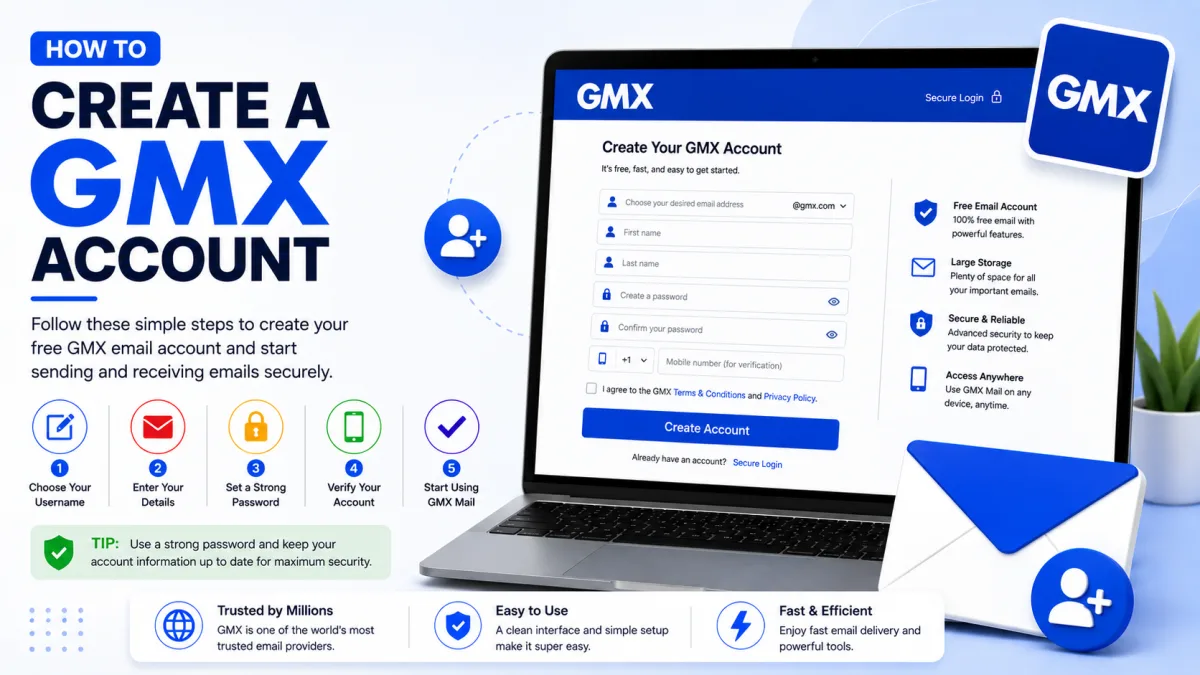
Creating a GMX account takes a few minutes, and the form itself is straightforward. What catches people out is not the form — it is being refused before reaching it. GMX does not accept registrations from every country, and the error it shows is easy to misread as your mistake. Both are covered below.
Creating the account
Go to the GMX registration page.
Choose your address. GMX offers suggestions, or you can type your own idea and check whether it is available.
Enter your personal details — title and country of residence. GMX states this information is used to secure the account and to help you regain access if you are ever locked out.
Set a password. Use one you do not use anywhere else.
Enter your mobile number, with the correct country code.
Complete the "I am human" check. You may also be given a small drag-and-drop task.
Agree to the Terms & Conditions and finish.
On the phone number: GMX states it is used only to recover your password or to contact you about your account's security. It is worth providing a number you will keep, because it becomes your route back in if you are ever locked out.
Choosing your address
GMX has been running since 1997 and handles a very large volume of new registrations, so straightforward name combinations disappeared long ago. Use the availability checker rather than guessing.
Add a middle initial or a neutral word if your name alone is taken.
Avoid birth years. They date the address and quietly reveal your age to everyone you write to.
Consider the domain. GMX offers several, and the one you pick becomes part of your address permanently.
Read it aloud. You will dictate this over the phone more often than you expect.
When registration is refused
This is where most people get stuck, and GMX's own help pages are unusually clear about the causes — which makes it possible to tell them apart rather than guessing.
"Registration is no longer possible in your country"
GMX does not offer registration everywhere, and determines your location from your IP address. The error reads roughly: your IP address suggests you are trying to sign up in a country where registration is no longer possible.
If that is the message, it is a policy decision rather than anything you have done wrong, and no amount of retrying the form will change it. There is no appeal and no workaround within the signup process itself.
GMX does not publish a list of supported countries, so the practical test is simply to attempt registration and read what comes back. If you are refused on those grounds, a different provider is the answer.
Do not reach for a VPN
The obvious response to a country restriction is to route around it. Do not.
GMX documents that using a VPN during registration can result in the account being blocked immediately after it is created, because certain VPN configurations are prohibited. You would get through the form and lose the account moments later — worse than being refused up front, because you may have already started using the address.
GMX also refuses new accounts from IP address ranges associated with high spam activity, which is why some perfectly ordinary connections are turned away.
If you are in a supported country and still refused
GMX lists other causes, and these are fixable:
Too many unsuccessful attempts from your IP address. Wait, then try again rather than repeating immediately — repetition is what triggered it.
A problem with the password you chose. Try a different one that meets GMX's requirements.
A problem with the email address you picked. It may already be taken, or contain characters GMX does not accept.
Working through these one at a time is worth more than resubmitting the same form. Changing several things at once tells you nothing about which one mattered.
First things to do afterwards
Turn on two-factor authentication
GMX offers it on both gmx.com and gmx.net. Worth enabling straight away, while you still have easy access to everything the setup needs.
Enable IMAP if you use a mail program
This one surprises almost everyone. GMX switches POP3 and IMAP off by default, so a new mailbox cannot be connected to Outlook, Thunderbird or your phone's built-in mail app until you turn access on in your GMX settings.
Until then the account works perfectly in the browser and fails everywhere else — which reads exactly like a wrong password. Our server settings guide covers enabling it and the hostnames you will need.
Check your recovery details
Confirm the phone number you gave is correct and that you can receive messages on it. GMX uses it for password recovery, so an incorrect number is a problem you will only discover at the worst possible moment.
A few things worth knowing
Ten addresses per account
GMX lets you register up to ten individual addresses — useful for keeping shopping separate from personal mail, though each is another address to remember.
gmx.com and gmx.net
Same service, different domains. It rarely matters for signing in through the website, but it matters a great deal in a mail program, since the two use different server hostnames.
Free accounts show advertising
GMX displays ads, including popups at login. That is normal for the free service rather than a sign of anything wrong with your account or your browser.
Accounts can be blocked after the fact
GMX blocks accounts used to send phishing or spam, and may also block one protectively if it has been compromised. If that happens, contacting GMX support directly is the route — the block is deliberate and cannot be cleared from the account settings.
Checked against the source
Official sources
Enquiries
Frequently asked questions
Why does GMX say registration is not possible in my country?
GMX does not offer registration everywhere and uses your IP address to determine where you are. If you are in a supported region, the cause is more likely the IP address itself, the password or the address you chose.
Can I use a VPN to create a GMX account?
Strongly inadvisable. GMX prohibits certain VPN configurations and may block the account immediately after it is created.
How many GMX addresses can I have?
One GMX mailbox can have up to ten email addresses. These addresses share the same inbox and GMX password.
Do I need a phone number to register?
Yes. GMX currently requires a mobile phone number during registration. GMX states that the number is used for password recovery and account-security contact.
Why can't my mail app connect to my new GMX account?
POP3 and IMAP are switched off by default on new mailboxes. Enable them in settings before setting up any mail program.
Next delivery
Keep reading
GMX Troubleshooting
GMX Not Working? Common Fixes
Why GMX stops receiving mail, refuses to send, or keeps misfiling the same sender — including the rule ordering that makes marking spam do nothing.
7 min read
GMX Security
GMX Security: 2FA and App Passwords
Turn on GMX two-factor authentication, create application-specific passwords for mail programs, and understand why one password may not be enough.
5 min read
GMX Password Reset
How to Reset Your GMX Password
Reset a forgotten GMX password — check your browser first, understand why the recovery options may not appear, and what two-factor authentication requires.
5 min read
GMX Login
How to Log In to GMX
Sign in to GMX on any device, tell gmx.com and gmx.net apart, and work out what is wrong when a mail app fails but the website works.
6 min read
GMX IMAP
GMX IMAP Settings
GMX's incoming server, port and encryption — plus the switch you must enable first, and why GMX may turn it off again on its own.
6 min read
GMX SMTP
GMX SMTP Settings
GMX's outgoing mail server, ports and encryption — plus why an older program can receive mail perfectly and fail to send a single message.
5 min read