Tuta Not Working? Common Fixes
What to check when Tuta will not load, send, receive, search or notify—and how to tell a local problem from a wider outage.
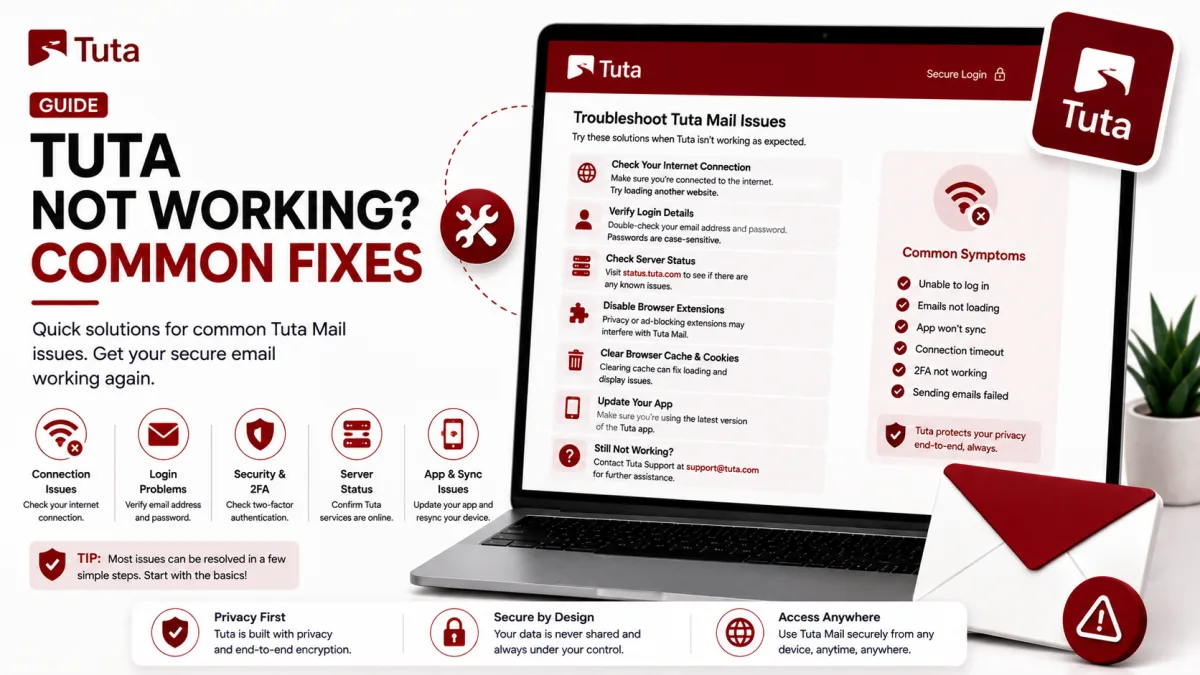
Most Tuta problems fall into a small number of categories: a wider service interruption, a local browser or application problem, an account restriction, or a feature working differently from conventional email.
Start by identifying whether every Tuta client is affected or only one device. That distinction can save a great deal of unnecessary troubleshooting.
Is Tuta down, or is the problem local?
Tuta does not currently provide a clearly usable public incident dashboard through its main support navigation. Do not rely on an unofficial or generic monitoring page as proof of Tuta’s internal service status.
You can use the Emails.help service-status page as an independent reachability check. It can indicate whether Tuta’s public endpoint is responding, but it cannot confirm that login, message delivery, notifications and every internal Tuta service are functioning correctly.
For confirmation:
Open
https://app.tuta.comdirectly.Try a different internet connection.
Compare the web application with Tuta’s mobile or desktop application.
Check Tuta’s official social accounts for a recent incident announcement.
Look for several recent reports describing the same problem in Tuta’s community forum.
Check Tuta’s GitHub issue tracker if the problem appears connected to a particular application version.
If the web application works but one installed application does not, the problem is probably local to that application or device. If every client fails across multiple networks, a wider interruption becomes more likely.
Independent monitoring and community reports are useful evidence, but neither should be described as an official Tuta incident report.
Tuta will not load in a browser
If app.tuta.com does not load:
Reload the page.
Open it in a private or incognito window.
Temporarily disable content-blocking, privacy or script-blocking extensions.
Confirm that JavaScript is enabled.
Try a currently supported browser.
Clear stored site data for Tuta if the private window works.
Check the device’s date, time and time zone.
Try a different network, such as mobile data instead of Wi-Fi.
Check whether a firewall, DNS filter, workplace network or VPN is blocking the connection.
Tuta officially supports current versions of major browsers including Firefox, Chrome, Edge, Safari and Opera on their supported platforms.
Avoid using a search result or an unfamiliar domain to reach the login page. The official web application is app.tuta.com.
You cannot sign in
Common login failures include:
An incomplete email address
The wrong Tuta domain
Caps Lock or an unexpected keyboard layout
A password manager supplying an old password
An incorrect device time causing TOTP codes to fail
A lost second factor
A free account deleted through inactivity
An account suspended by Tuta
Read the exact message displayed below the login form. Tuta uses that message to distinguish between invalid credentials, deleted accounts and suspended accounts.
If an authenticator code is rejected, synchronize the device’s date, time and time zone before changing any account settings.
If you forgot the password, use the recovery process described in How to Reset Your Tuta Password.
For other access errors, see How to Log In to Tuta.
You can sign in, but a new account cannot send or receive
Some newly created accounts are temporarily held for anti-abuse approval. The mailbox may open normally while sending and receiving remain unavailable.
Tuta says this approval period can last up to 48 hours and may occur more often when registration comes through a VPN or Tor exit node.
During the hold:
Read the notice displayed inside the mailbox.
Do not use the address for an important third-party registration.
Do not create multiple replacement free accounts.
Wait for the stated approval period.
Test sending and receiving after approval is confirmed.
Messages sent to an account while receiving is unavailable may not arrive later automatically. Ask the sender to try again after the account becomes active.
See How to Create a Tuta Account for more information.
An expected email never arrived
Work through these checks in order:
Confirm the complete address. Tuta offers several domains, and a message sent to the wrong domain will not reach your mailbox.
Check account approval. A new account waiting for approval cannot receive mail normally.
Check Spam. Mark a legitimate message as not spam if Tuta classified it incorrectly.
Review spam rules. A manual rule may be rejecting the sender or domain.
Check the sender. Ask whether the sender received a rejection or delivery-delay message.
Allow some time. Temporary delays can occur at either the sending or receiving provider.
Request a new message. Verification links may expire, so resend the message after correcting the cause.
Test another sender. Send messages from two unrelated providers. If one arrives and the other does not, the issue may be specific to the original sender.
If Tuta rejected a sender through its spam filtering, use Tuta’s spam-rule controls to allow the relevant address or domain where appropriate.
Do not whitelist an entire domain unless you trust all mail sent through it.
A website will not accept your Tuta address
There are several possible causes:
The Tuta account is still waiting for approval.
The website’s verification message is being filtered or rejected.
The website blocks one or more Tuta domains.
The website accepts the address but its email system is misconfigured.
Too many verification attempts caused a temporary restriction.
Wait until the Tuta account is fully active, check Spam, and request a new verification message.
If the website explicitly rejects Tuta addresses, contact its support team. Tuta also encourages users to report services that block its domains.
A custom-domain address on a paid Tuta plan may reduce this problem because it does not use a shared Tuta domain. It is not a guaranteed workaround: a website can still reject the domain, block the mail server or fail to deliver its verification message.
Outgoing messages land in Spam
For an address using a Tuta-owned domain:
Avoid sending identical messages to many recipients.
Do not send newsletters or bulk email through Tuta.
Ask a recipient to mark a legitimate message as not spam.
Ask the recipient to add your address to their contacts.
Check whether the message contains suspicious links or attachments.
Confirm that the displayed sender address is correct.
For a custom domain, also check the DNS setup inside Tuta.
Use the exact records displayed by Tuta’s domain-configuration wizard. Confirm that each required record is present and verified, including the authentication and mail-routing records requested for the domain.
Do not copy SPF, DKIM, MX or other values from an old third-party guide. Tuta generates values for the specific domain, and they can change.
If DMARC is added, begin with a monitoring policy and review reports before applying a strict rejection policy.
Android notifications are delayed or missing
Tuta does not depend on Google’s push-notification service. On Android, battery management can therefore prevent its background notification process from running reliably.
Check the following:
Open Android’s application settings for Tuta.
Allow notifications for new email.
Disable battery optimization for Tuta.
Allow background activity and background data.
If the phone provides an autostart control, allow Tuta to start automatically.
Confirm that Data Saver, Do Not Disturb or a sleeping-app feature is not restricting it.
Open Tuta after restarting the phone.
Update the Tuta application through the store or source from which it was installed.
Phone manufacturers use different names for these controls. Samsung may place the application in a sleeping-app list, while other Android versions may use terms such as autostart, background launch or unrestricted battery use.
If notifications remain unreliable, search Tuta’s GitHub issue tracker for the device model, Android version and Tuta application version before opening a new report.
The mailbox is full
Tuta’s Free plan includes 1 GB of storage. Messages with attachments can fill that space quickly.
To recover storage:
Empty Trash and Spam if their contents are no longer needed.
Delete large messages and unnecessary attachments.
Export important messages before deleting them.
Remove mail that has already been archived elsewhere.
Check whether imported mail is using more storage than expected.
Compare the storage included with Tuta’s current paid plans if the mailbox regularly reaches its limit.
Tuta automatically deletes messages from Trash and Spam after 30 days, but manually emptying those folders releases the space sooner.
Deleted messages in those folders cannot be recovered after permanent deletion.
Search does not find older messages
Tuta performs search through an encrypted local search index. Results can depend on the plan, the selected search period and whether older mail has been indexed on that device.
Tuta’s pricing page lists unlimited mailbox search as a paid feature. A Free account therefore should not be expected to search the complete history in the same way as a paid account.
Check that:
Search indexing is enabled.
The requested date range includes the missing message.
The application has been allowed time to build its local index.
The device has enough free storage.
You are searching from the client where the relevant data was indexed.
The message still exists in the mailbox.
If a message is visible in its folder but not returned by search, rebuilding or expanding the local search index may help where the plan permits it.
The application is slow or will not work offline
Tuta’s Free plan does have limited local caching. The claim that free accounts must always be online to view any mail is incorrect.
After login credentials are stored in a supported mobile or desktop client, Tuta can keep a local encrypted copy of contacts, calendars and recent email. Tuta’s documentation describes approximately the most recent 30 days as the default local period for free accounts.
Paid plans provide full offline support, including offline login and greater control over how much mailbox history is kept locally.
If offline access does not work:
Use an official Tuta mobile or desktop application rather than relying only on the browser.
Store the login credentials in that client.
Allow the application to finish synchronizing while online.
Confirm that the required messages have been cached or indexed.
Check available device storage.
Update the application.
Test offline mode again without signing out first.
Messages that were never cached cannot appear offline. Attachments may also require a separate download.
If the application feels slow while online, compare it with the web application and another network before resetting its local data. Clearing application storage can remove downloaded offline data and require it to be synchronized again.
Tuta does not update correctly
The web application normally updates when the page is reloaded.
If it appears stuck on an older version:
Reload the page.
Test a private window.
Clear Tuta’s stored browser data if the private window works.
Disable an extension that may be serving cached content.
Confirm that a proxy or workplace cache is not retaining old files.
The desktop application checks for updates automatically by default. Mobile updates depend on the application store or installation method.
If the Android application was installed through F-Droid, refresh the repository before concluding that no newer version is available. A manually installed APK may not provide the same automatic-update notifications as an app-store installation.
A custom domain stopped receiving mail
If the Tuta mailbox works but a custom-domain address does not:
Open the custom-domain settings in Tuta.
Check the verification status of every required DNS record.
Confirm that the domain has not expired.
Verify that its nameservers have not changed.
Check whether another mail service recently replaced its MX records.
Remove conflicting SPF records instead of publishing multiple SPF TXT records.
Allow time for recent DNS changes to propagate.
Test both sending and receiving with an external provider.
Copy current DNS values from Tuta’s setup wizard rather than from a generic server-settings page.
Changing website hosting does not normally require changing email records. Changing nameservers, however, can remove the DNS zone containing those records.
The account was suspended
Tuta may suspend an account because of automated spam detection or a suspected violation of its terms.
If you believe the suspension is incorrect, contact Tuta in English or German and include:
The complete Tuta email address
The exact error message shown below the login form
A short explanation of what happened before the suspension
Any information requested in the notice
Do not publish the password, recovery code or authenticator secret in a forum or issue report. Tuta support does not need those secrets to investigate a suspension.
Outlook, Apple Mail or standard Thunderbird setup will not connect
Tuta does not provide standard IMAP, POP3 or SMTP credentials. No combination of guessed hostname, port or application password will connect it through Outlook, Apple Mail or Thunderbird’s normal account wizard.
Tuta now offers official Thunderbird add-ons for Tuta Mail and Tuta Calendar. They open Tuta’s web applications inside Thunderbird tabs; they are not IMAP or SMTP integrations.
For normal desktop use, Tuta recommends its own desktop client, which provides better integration, notifications, search, import and export features.
See Tuta Server Settings: IMAP, SMTP and POP3 for details.
Nothing here fixed the problem
Choose the route that matches the problem:
Application bug: Search Tuta’s GitHub issue tracker. If the issue is not already reported, include the operating system, device, application version, exact steps and error message.
Account access: Start with Tuta’s official support documentation and the message displayed on the login page.
Paid-plan or billing problem: Use the email-support option included with the paid plan.
Free-plan usage question: Use Tuta’s documentation and community forum.
Possible outage: Compare different clients and networks, check Tuta’s official social channels, and use independent monitoring only as supporting evidence.
Security incident: End unfamiliar sessions, change the password from a trusted device and confirm that the recovery code and second factors are secure.
Never send anyone your password, recovery code or authenticator secret. Emails.help does not provide account recovery and is not affiliated with Tuta.
Checked against the source
Official sources
Enquiries
Frequently asked questions
How can I check whether Tuta is down?
Test app.tuta.com from another network and compare the web, desktop and mobile clients. Check Tuta’s official social channels for an announcement. The Emails.help status page provides independent reachability monitoring, not an official Tuta incident report.
Why can I log in to Tuta but not send or receive email?
A newly created account may be waiting for anti-abuse approval for up to 48 hours. Read the notice inside the mailbox and wait until Tuta confirms that the account is active.
Why are Tuta notifications delayed on Android?
Android battery management may stop Tuta’s background notification process. Disable battery optimization for Tuta, allow background activity and check any manufacturer-specific sleeping-app or autostart controls.
Can a Free Tuta account read mail offline?
To a limited extent. Tuta’s supported applications can cache recent and previously indexed data after credentials are stored. Full offline support, offline login and configurable retention are paid features.
Why can’t I connect Tuta to Outlook or Apple Mail?
Tuta does not provide IMAP, POP3 or SMTP access. Use its web, desktop or mobile applications instead.
Does Tuta work with Thunderbird?
Tuta offers official Thunderbird add-ons that open its web applications inside Thunderbird tabs. They do not provide a conventional IMAP or SMTP connection.
Next delivery
Keep reading
Tuta Security
Tuta Security: 2FA and App Passwords
Tuta has no app passwords — and doesn't need them. What actually protects your account, how to set up two-factor authentication, and the one thing to save first.
7 min read
Tuta Password Reset
How to Reset Your Tuta Password
Tuta cannot send a conventional reset email. Here is how to reset a forgotten password or lost second factor with the recovery code.
8 min read
Tuta Login
How to Log In to Tuta
Sign in to Tuta on the web, desktop, mobile or Thunderbird. Fix rejected passwords, 2FA codes, approval holds and deleted-account errors.
8 min read
Tuta Sign Up
How to Create a Tuta Account
Signing up takes a minute — but two things catch people out: the recovery code you can never retrieve again, and the approval hold that stops your new address working.
8 min read
Tuta Settings
Tuta Server Settings: IMAP, SMTP and POP3
Tuta publishes no IMAP, SMTP or POP3 settings — and never will. Here's the reasoning, what replaces them, and the DNS records that do matter.
7 min read
GMX Troubleshooting
GMX Not Working? Common Fixes
Why GMX stops receiving mail, refuses to send, or keeps misfiling the same sender — including the rule ordering that makes marking spam do nothing.
7 min read