How to Create a Tuta Account
Signing up takes a minute — but two things catch people out: the recovery code you can never retrieve again, and the approval hold that stops your new address working.
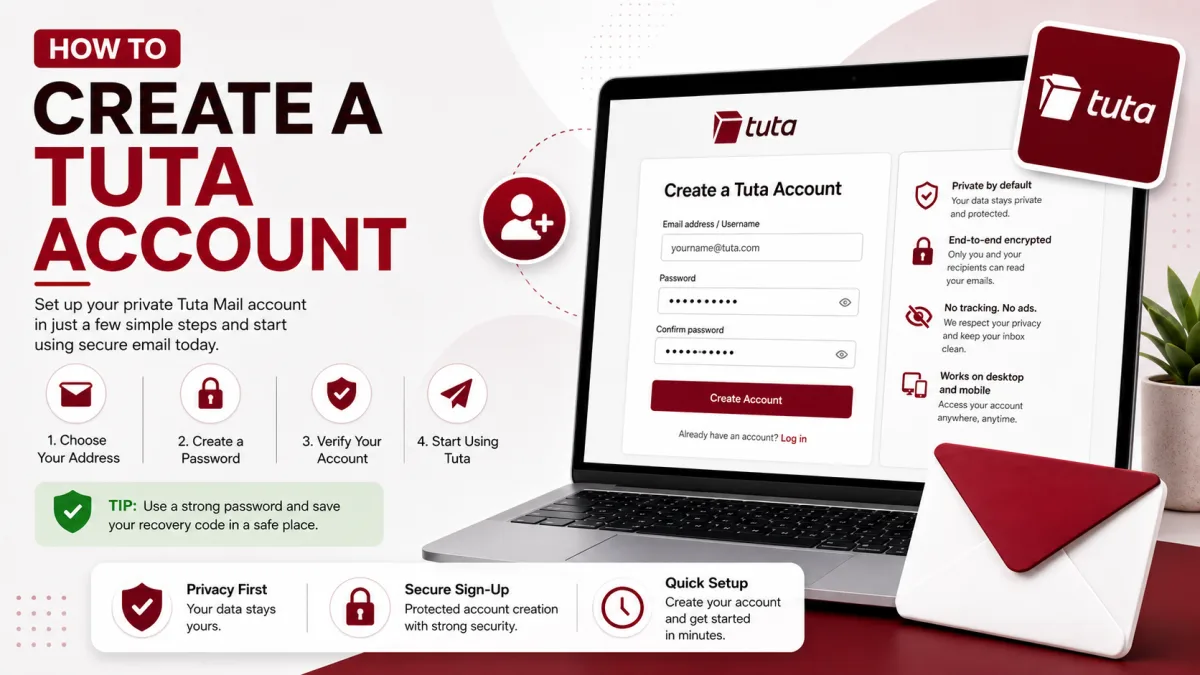
Creating a Tuta account takes only a few minutes. Unlike many mainstream email providers, Tuta lets you register without providing a phone number or an existing email address. The important parts come after choosing your address: saving the recovery code and, for some new accounts, waiting for an approval hold to end.
The recovery code deserves particular attention. Tuta cannot reset your password through a backup email address or an identity check, so losing the credentials needed for recovery can permanently lock you out.
Before you sign up
Three rules from Tuta’s terms are worth knowing before creating an account:
One free account per person. Tuta prohibits one person from registering multiple free accounts. Paid plans provide additional email addresses and, depending on the plan, support for additional users.
Free accounts are for private use. Tuta’s terms restrict business use to paid plans unless a plan specifically states otherwise.
Unused free accounts may be deleted. Tuta may delete a free account after at least six months without a login.
If the address will be used for work, a custom domain or multiple email addresses, compare Tuta’s current paid plans before registering.
How to create a Tuta account
Open Tuta’s signup page. Go to
app.tuta.com/signup, or begin from the official pricing page attuta.com/pricing.Choose a plan. The Free plan is not a time-limited trial. Paid plans add features such as extra email addresses, custom domains, expanded storage, full offline support and email support.
Choose your email address. Enter a username and select one of the available Tuta domains. Check the spelling carefully before continuing.
Create a strong password. Use a unique password and save it in a trusted password manager. Tuta cannot send a conventional password-reset link to another email address.
Complete the CAPTCHA. Tuta may display its own clock-based CAPTCHA. Enter the time shown on the clock in the requested format.
Save the recovery code. Copy, print or write down the recovery code and store it somewhere outside the Tuta mailbox.
Finish registration. After the mailbox opens, check for a notice explaining whether the account is ready or temporarily waiting for approval.
Tuta may also ask you to confirm that you meet its minimum-age requirement and accept its terms and privacy policy.
Save the recovery code immediately
Tuta generates a recovery code because the company cannot perform a conventional password reset for an encrypted mailbox. The code helps you recover access without giving Tuta the ability to decrypt your data.
Tuta displays the recovery code during registration, but it is not necessarily available only on that one screen. While you still know the password, you can view the current recovery code from the login settings inside the mailbox after entering your password.
You should still save it during signup. If you forget the password before making an external copy, knowing that the code can be viewed from inside the account will not help.
Store the code somewhere separate from the mailbox, such as:
A reputable password manager
A printed copy kept in a secure location
An encrypted offline record
Do not store the only copy in an email sent to the Tuta account it protects.
How recovery works
The credentials required depend on whether two-factor authentication is enabled.
Without two-factor authentication
If you forget the password, you need the recovery code to set a new one.
If you still know the password, you can view or update the recovery code from the account’s login settings.
With two-factor authentication
Tuta uses a two-out-of-three recovery model involving:
Your password
Your second factor
Your recovery code
To reset a forgotten password, you need the recovery code and the second factor. To remove a lost second factor, you need the password and recovery code.
If both the password and second factor are lost, the account cannot be reset because only the recovery code remains.
When enabling two-factor authentication, Tuta displays the recovery code and asks you to save it. Confirm that your stored copy matches the code currently shown under the account’s login settings. Do not assume that an older saved copy is current without checking it.
For the complete recovery process, see How to Reset Your Tuta Password.
Why a new account may not send or receive mail
Some newly registered Tuta accounts are temporarily held for approval as an anti-abuse measure. Tuta says this can happen more frequently when registration comes from a VPN or Tor exit node.
During the hold, you may be able to open the mailbox even though sending and receiving are unavailable. The approval process can take up to 48 hours.
While the account is waiting:
Do not use the address to register for an important service.
Do not assume that a missing confirmation email proves the sender is broken.
Read the notice displayed inside the Tuta mailbox.
Avoid repeatedly creating replacement accounts, especially because Tuta permits only one free account per person.
Wait for the stated approval period before contacting Tuta about a delay.
Do not promise other people that the address is ready until you have confirmed that it can send and receive messages.
A paid subscription should not be presented as a guaranteed way to bypass every anti-abuse review. Follow the status and instructions shown inside the newly created account.
What the Free plan includes
Tuta’s current Free plan includes the core encrypted mailbox without advertising or tracking.
Included with Free | Additional features on paid plans |
|---|---|
1 GB storage | 20 GB or more storage, depending on the plan |
One calendar | Additional or unlimited calendars |
Three labels | Unlimited labels |
Web, mobile and desktop apps | Extra email addresses |
Unlimited folders | Custom domains |
Attachments up to 25 MB | Unlimited inbox rules |
Two-factor authentication | Full mailbox search |
Encrypted contacts and calendar | Full configurable offline support |
Automatic end-to-end encryption between Tuta users | Catch-all addresses and scheduled sending |
Password-protected encrypted mail for external recipients | Autoresponder and email support |
Features and plan limits can change, so verify them on Tuta’s official pricing page before paying.
Offline access on the Free plan
Tuta’s pricing table lists full offline support as a paid feature, but this does not mean that free users’ apps can never show anything without a connection.
When credentials are saved in a supported Tuta client, the client can keep a local encrypted copy of recent or previously indexed data. Tuta’s documentation describes a default local period of roughly the most recent month for free accounts.
Paid plans provide the fuller version of offline support, including offline login and control over how much mailbox history is retained locally.
A more accurate distinction is:
Free: limited caching of recent or already indexed data after credentials have been stored.
Paid: full offline support with additional retention controls and offline-login capability.
Because Tuta does not provide standard IMAP or POP3 access, its own local encrypted cache is the replacement for downloading the mailbox into a conventional email client.
Can Tuta be added to Outlook or Thunderbird?
Tuta does not provide IMAP, POP3 or SMTP credentials for third-party mail clients. Entering a Tuta address into Outlook, Apple Mail or Thunderbird’s normal account-setup wizard will not create a working connection.
Tuta now provides official Thunderbird add-ons for Tuta Mail and Tuta Calendar. These add-ons open Tuta’s web application in a Thunderbird tab; they do not provide IMAP or SMTP access.
For stronger desktop integration, notifications, offline capabilities and email import or export features, Tuta recommends its own desktop application.
See Tuta Server Settings: IMAP, SMTP and POP3 for the technical explanation.
Keeping a free account active
Tuta may delete a free account after at least six months without a login. This is especially important for backup addresses that are opened only occasionally.
Set a reminder to sign in several times a year. Receiving forwarded mail or having another service send messages to the address should not be treated as a substitute for logging in.
Tuta does not make a deleted address available for ordinary new registration. However, its support documentation describes a limited recovery route: if you still have the correct credentials for the deleted account, you may be able to add the old address to a different paid Tuta account.
The deleted mailbox data is not restored. This process only concerns reuse of the address, and it still depends on retaining the required credentials.
If both the account and its credentials are gone, assume that the address cannot be recovered.
Sending limits and prohibited use
Tuta’s terms prohibit:
Sending more than 100 emails per hour from one account
Sending unsolicited promotional email
Sending bulk mail such as newsletters
Using email to advertise certain paid-email or referral schemes
These limits will not affect normal personal correspondence. Tuta is not intended to operate as a newsletter or bulk-email delivery platform.
What to do after registration
Once the account is active:
Confirm that the recovery code has been stored outside the mailbox.
Install Tuta’s official application on the devices you use.
Send a test message to another address and reply to it.
Enable two-factor authentication.
Check that your recovery-code copy still matches the code shown in the login settings.
Review active sessions and remove any device you do not recognize.
If using a free account, create a reminder to log in before six months pass.
If you later have trouble signing in, see How to Log In to Tuta. For sending, loading or synchronization problems, use Tuta Not Working? Common Fixes.
Checked against the source
Official sources
- Tuta — Terms and Conditions ↗
- Tuta — Pricing and plan comparison ↗
- Tuta — Support ↗
- Tuta — Anonymous email: create an address without a phone number ↗
- Tuta — Encrypted email service now supports a secure password reset ↗
- Tuta — What should I do if registering at an online service fails? ↗
- Tuta — Thunderbird add-ons ↗
Enquiries
Frequently asked questions
Does Tuta require a phone number to create an account?
No. Tuta allows registration without phone-number verification or an existing email address. Some registrations may still be held temporarily for anti-abuse approval.
Is the Tuta recovery code shown only once?
Tuta displays it during signup, but you can also view the current recovery code later under the account’s login settings after entering your password. Save it during registration because you may not be able to reach those settings after forgetting the password.
Why can’t my new Tuta account send or receive email?
Some new accounts are held for approval for up to 48 hours. The mailbox can open while mail flow remains disabled. Check the notice inside the account and wait for the stated approval period.
Can I create more than one free Tuta account?
Tuta’s terms permit only one free account per natural person. If you need additional addresses, compare its paid plans and extra-address options.
Will Tuta delete an unused free account?
Tuta may terminate a free account after at least six months without a login. Sign in regularly if the address is used only as a backup.
Can I add Tuta to Outlook or Thunderbird?
Not through standard IMAP, POP3 or SMTP setup. Tuta offers official Thunderbird add-ons, but they open its web application inside Thunderbird rather than creating a conventional mail connection.
Next delivery
Keep reading
Tuta Security
Tuta Security: 2FA and App Passwords
Tuta has no app passwords — and doesn't need them. What actually protects your account, how to set up two-factor authentication, and the one thing to save first.
7 min read
Tuta Troubleshooting
Tuta Not Working? Common Fixes
What to check when Tuta will not load, send, receive, search or notify—and how to tell a local problem from a wider outage.
12 min read
Tuta Password Reset
How to Reset Your Tuta Password
Tuta cannot send a conventional reset email. Here is how to reset a forgotten password or lost second factor with the recovery code.
8 min read
Tuta Login
How to Log In to Tuta
Sign in to Tuta on the web, desktop, mobile or Thunderbird. Fix rejected passwords, 2FA codes, approval holds and deleted-account errors.
8 min read
Tuta Settings
Tuta Server Settings: IMAP, SMTP and POP3
Tuta publishes no IMAP, SMTP or POP3 settings — and never will. Here's the reasoning, what replaces them, and the DNS records that do matter.
7 min read
GMX Sign Up
How to Create a GMX Account
Create a free GMX address step by step — and what to do about the country restriction, the IP block, and the VPN mistake that gets new accounts suspended.
5 min read