How to Create a Yahoo Mail Account
Create a Yahoo Mail account, choose a permanent address, verify your mobile number, configure recovery and understand disposable addresses.
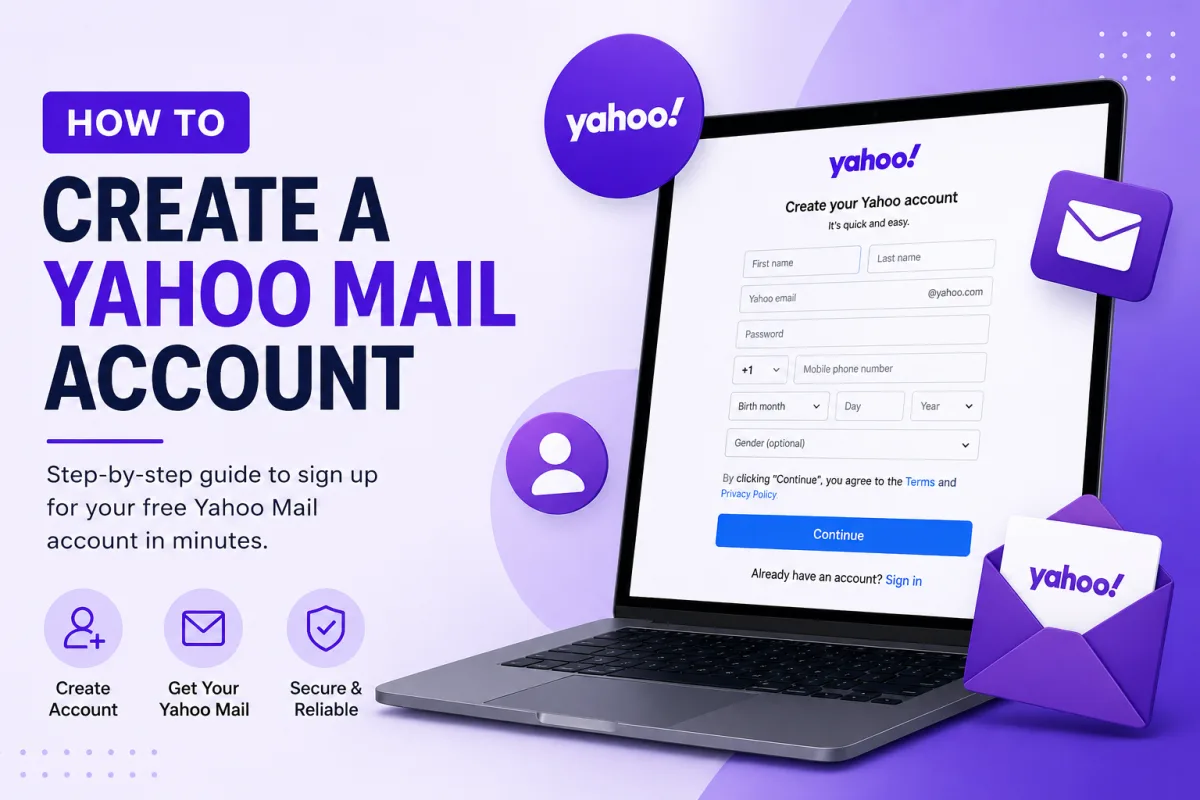
Creating a Yahoo Mail account takes a few minutes. Before you start, there is one thing worth knowing that most guides do not mention, and it should change how much thought you give to the second field on the form.
Your address cannot be changed later
Yahoo does not let you change your Yahoo ID or email address after the account is created. Not by editing a setting, not by contacting support. Yahoo's own guidance on the subject is blunt: if you no longer want the address, create a new account.
This is stricter than other providers. Outlook lets you add a new address as an alias and make it your primary one. Yahoo has no equivalent — the address you choose at signup is the address you keep for as long as you keep the account.
So spend a minute on it. This will go on job applications, official forms and every message you send for years. Something clear and unremarkable ages far better than a joke that seemed good at the time.
Creating an account on a computer
Go to Yahoo's signup page in your browser.
Enter your first and last name.
Choose your email address — carefully, per the above.
Set a strong password.
Enter your mobile number and date of birth.
Yahoo sends a code by text; enter it to verify the number.
Yahoo requires a valid mobile number during account creation for verification and recovery. Use a number you control and expect to keep, because outdated recovery information can make future account recovery difficult.
Creating an account on Android
Install the Yahoo Mail app from Google Play.
Open it and choose to sign up rather than sign in.
Work through the same details as above.
Signing up through the app is often the smoother route, since the phone verification code can be read on the same device rather than typed across from another one.
Creating an account on iPhone or iPad
Install the Yahoo Mail app from the App Store.
Open it and choose to create an account.
Complete the same steps.
You can also create the account in Safari and add it to Apple’s built-in Mail app afterwards. On recent iOS versions, open Settings → Apps → Mail → Mail Accounts → Add Account → Yahoo, then complete Yahoo’s browser-based sign-in process.
Choose Yahoo rather than “Other” whenever the Yahoo account option is available. An app password is generally needed only for an older or manually configured application that cannot complete Yahoo’s supported sign-in process.
Choosing your address
Given that it is permanent, a few practical points:
Avoid birth years. They date the address and quietly reveal your age to everyone you write to.
Avoid anything tied to a job, a partner or a hobby you might not have in five years.
Add a middle initial or a neutral word if your name is taken, rather than adding numbers.
Read it aloud. You will have to dictate this address over the phone more often than you expect.
Disposable addresses
Yahoo's answer to "I want a separate address for shopping" is disposable email addresses — extra addresses that deliver into your main inbox and can be deleted if they start attracting spam.
They take the form nickname-keyword@yahoo.com. You set a nickname once, then create as many keyword variations as you need — one for shopping, one for newsletters, one for a service you do not entirely trust. Mail to any of them lands in your normal inbox, and you can send from them too.
Three things to know before relying on this:
It is largely a paid feature. Disposable addresses are tied to Yahoo Mail Plus. Users in locales where Plus is offered can typically try up to three free, with up to 500 on a subscription. In some locales the feature is not available at all — if it does not appear in your settings, that is why.
The nickname is permanent too. Once set, the base part cannot be changed, only the keywords after it. Choose it with the same care as the main address.
Deleting a disposable address stops it from delivering future messages to your main inbox. Before deleting one, update any shopping account, newsletter or service that still uses it.
Do not use a disposable address for password recovery, banking, government services or another account where losing future access could cause a serious problem.
Set up recovery before you need it
Do this in the first five minutes. Recovery is decided almost entirely by details put in place beforehand.
Add a recovery email address you will still control in five years.
Confirm your recovery phone number is one you actually keep.
Decide between Account Key and two-step verification. Yahoo treats these as alternatives rather than layers — you cannot use both. Account Key approves sign-ins by notification on your phone; two-step verification adds a code to your password.
If you create a passkey, check where it is stored and whether it synchronises to another trusted device. Keep your recovery phone number and recovery email address current so losing one device does not leave you without another recovery method.
Yahoo documents emergency recovery codes for certain two-step verification methods, but it does not document automatically issuing one whenever an ordinary passkey is created.
After the account exists
Send yourself a test message and confirm it arrives.
Consider your disposable addresses now, if the feature is available to you. It is far easier to keep shopping mail separate from day one than to untangle it later.
Using the Yahoo Mail app
On a phone, Yahoo's own app is the simplest option because it handles Account Key, passkeys and two-step verification natively. It is available for Android and iOS, and supports multiple accounts if you have more than one address.
Using a different mail client
When adding Yahoo to Outlook, Apple Mail, Thunderbird or another current mail application, choose Yahoo or “Sign in with Yahoo” whenever that option is available.
An app password may be required when:
Yahoo Account Key is enabled.
Two-step verification is enabled.
The application is older and cannot open Yahoo’s sign-in page.
You are configuring the server settings manually.
Create app passwords from Yahoo Account Security under External connections. Use a separate code for each application or device that requires one.
Official Yahoo sources
Enquiries
Frequently asked questions
Can I change my Yahoo Mail address later?
No. Yahoo does not allow you to change an existing Yahoo ID or email address. You can change your display name, create supported disposable addresses or create a separate Yahoo account.
Do I need a phone number to create a Yahoo account?
Yes. Yahoo’s current account requirements state that a valid mobile number is needed for verification and account recovery. Yahoo sends a code to that number during registration.
What is a Yahoo disposable email address?
A disposable address is an additional Yahoo address in the form nickname-keyword@yahoo.com that delivers to your main inbox. Availability depends on your location and plan. Supported locations may offer up to three free addresses and up to 500 with Yahoo Mail Plus.
What happens if I delete a disposable address?
Future messages sent to the deleted disposable address will no longer reach your main inbox. Update any important account using that address before deleting it.
Next delivery
Keep reading
Yahoo Mail Security
Yahoo Mail Security: 2FA and App Passwords
Secure Yahoo Mail with two-step verification, Account Key, security keys and app passwords for older or manually configured applications.
6 min read
Yahoo Mail Password Reset
How to Reset Your Yahoo Mail Password
Reset a forgotten Yahoo password with Sign-in Helper, understand recovery limitations, review app passwords and find the right route for provider-managed accounts.
5 min read
Yahoo Mail Troubleshooting
Yahoo Mail Not Working? Common Fixes
Fix Yahoo Mail problems involving missing messages, sending failures, storage, filters, Apple Mail, browser loading and device synchronisation.
7 min read
Yahoo Mail Login
How to Log In to Yahoo Mail
Sign in to Yahoo Mail on a computer, Android or iPhone, use Account Key and passkeys, and fix verification or mail-client authentication problems.
7 min read
Yahoo Mail IMAP
Yahoo Mail IMAP Settings
Use Yahoo Mail IMAP in Outlook, Apple Mail or Thunderbird with the correct server, port, encryption and supported authentication method.
6 min read
Yahoo Mail SMTP
Yahoo Mail SMTP Settings
Use Yahoo Mail SMTP with the correct server, ports, encryption and authentication, and fix sending problems in clients, printers and scripts.
6 min read